we are still testing
The operating system for law firms

Every matter, client and dollar in one accountable system.

FirmsVault brings matters, client collaboration, documents, billing, trust accounting and payments into one workspace — with approvals, audit history and access controls built in, not bolted on.

The firm dashboard
The product

Show the work. Not just the promise.

Every screen below is FirmsVault itself, running with a fictional firm — Northstar Legal Group — so you see the real workspace your team would use.

Matter Workspace

Every matter, in one working view.

The Martinez Family Petition shows its client, attorney, workflow stage and readiness, the next deadline and every open task — the same picture for everyone who works on it.
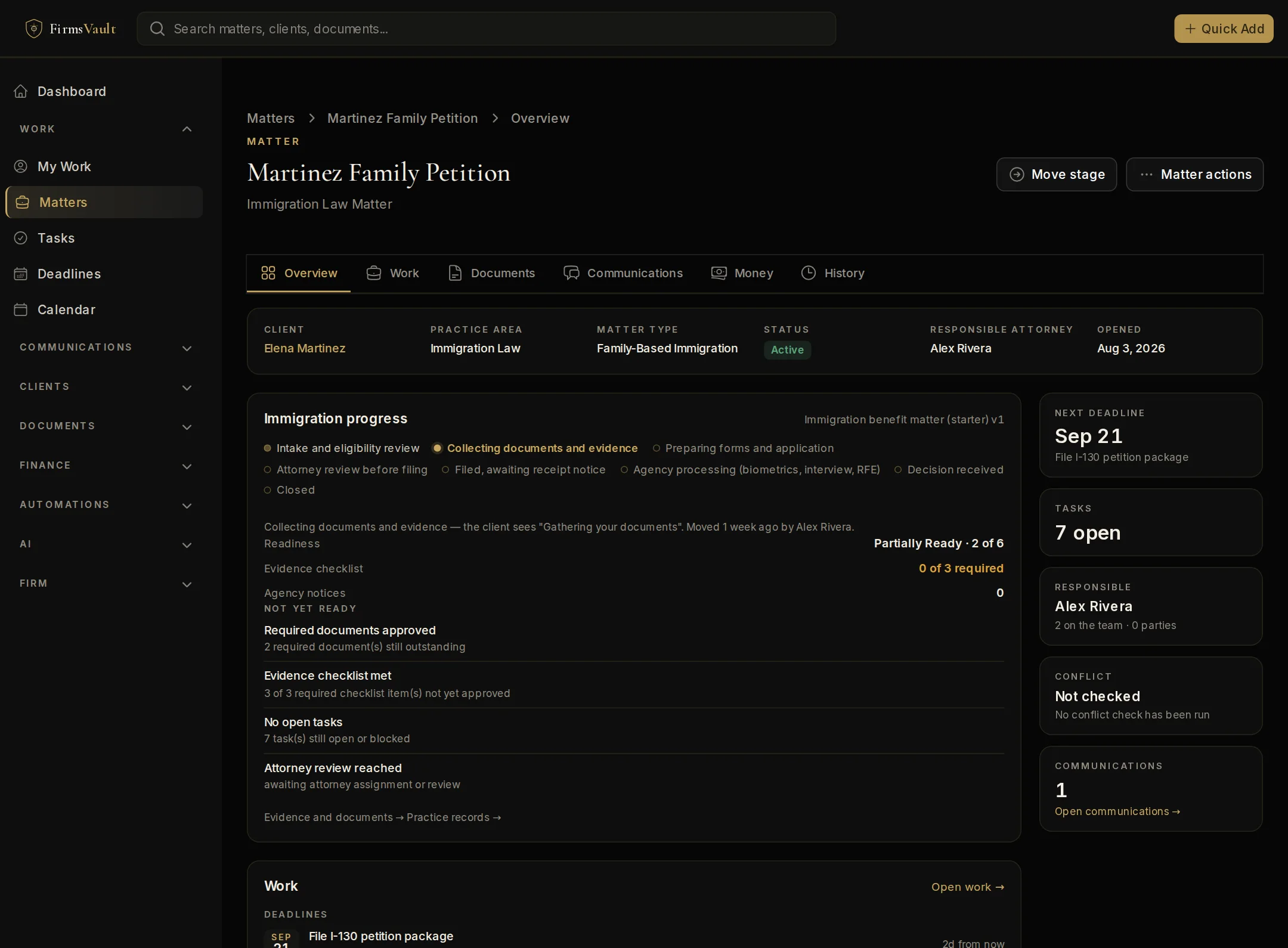
A matter in FirmsVault — Martinez Family Petition, a fictional immigration matter — showing its client, practice area, responsible attorney, workflow stage, readiness, deadlines and open tasks.
FirmsVault screenMartinez Family Petition, an immigration matter · Fictional firm data
  • Practice workflowsStages, evidence checklists and readiness that match how the practice runs.
  • Work in contextDeadlines and tasks on the matter, assigned to the right person.
  • A complete recordDocuments, time, billing and history attached to the matter.
See the Matter Workspace
Client Portal

The same matter, as the client sees it.

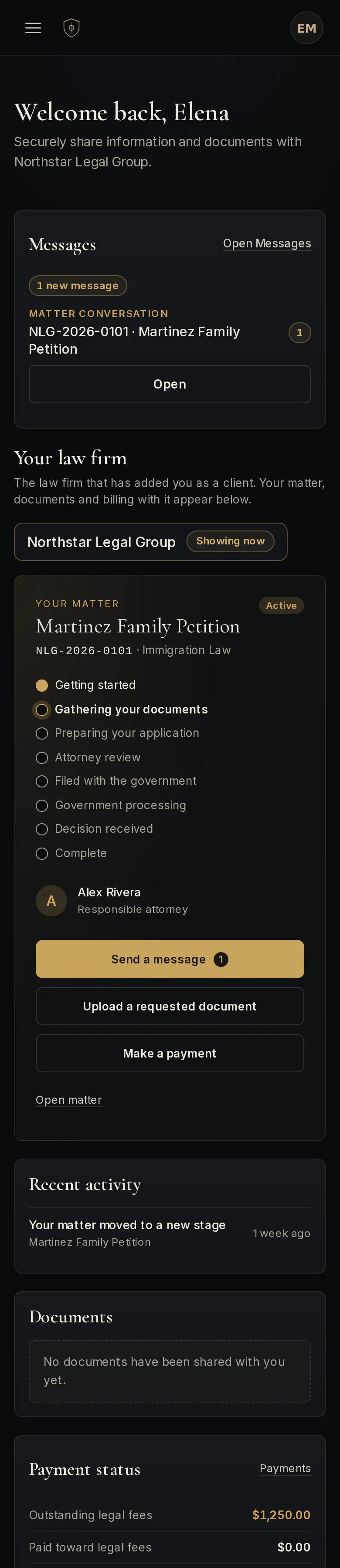
Elena Martinez sees her matter's stage in plain language, what is needed from her, her attorney's message and what she owes — and uploads, signs, messages and pays in the same place.

  • Document requests with secure upload
  • Messages with the legal team, on the matter
  • Invoices and payments beside the matter
See the Client Portal
The FirmsVault Client Portal as a fictional client, Elena Martinez, sees it: her matter, what is needed from her, messages from her attorney and what comes next. Shown on a phone.
FirmsVault screenClient Portal home for Elena Martinez, on a phone · Fictional firm data
FirmsVault Pay · TrustGuard

Operating money and client money, kept apart on purpose.

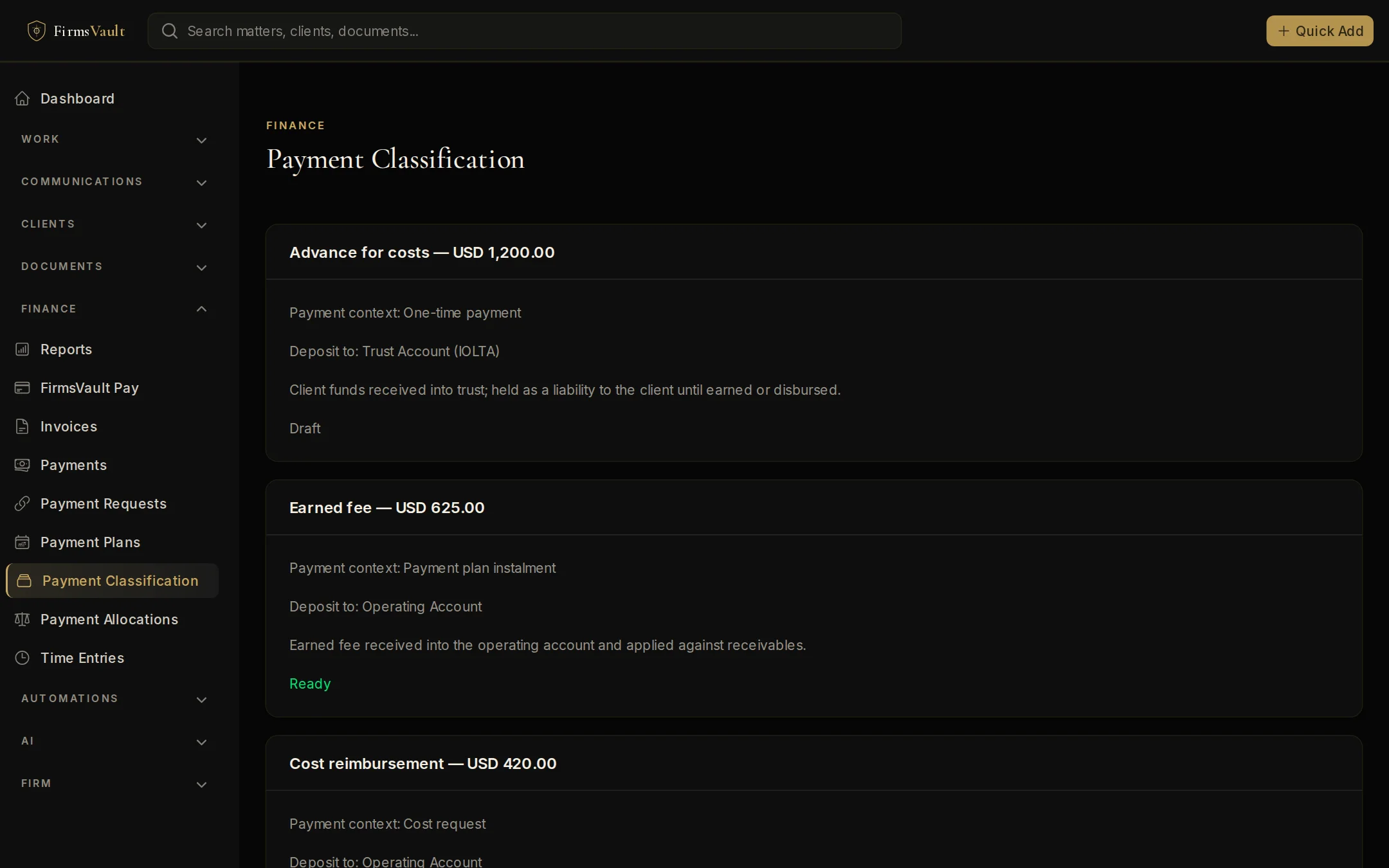
Invoices and collections run through FirmsVault Pay. Each payment is classified before it moves — earned fee, trust deposit, retainer, cost reimbursement — so client funds reach the trust account and are handled under TrustGuard's approvals.

Payment classification in FirmsVault: each payment recorded as an earned fee, trust deposit, retainer, cost reimbursement or payment-plan installment, with the account it must reach and its review and approval state.
FirmsVault screenPayment classification: purpose, account and review state · Fictional firm data
FirmsVault Pay TrustGuard
Legal Library

Find the form by the code you remember.

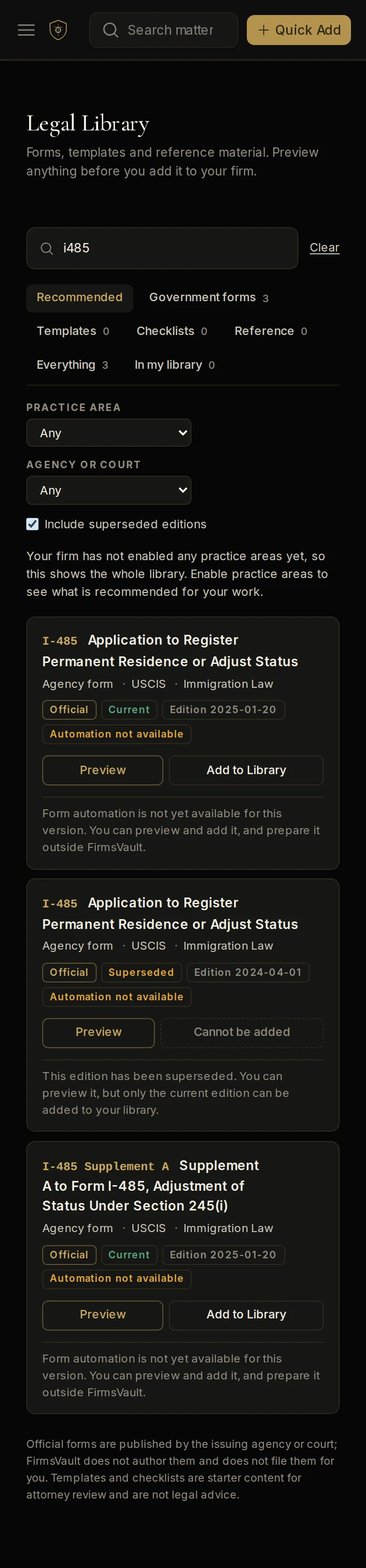
A large and continuously growing catalog of government and court forms, searched on the server as you type — by code, title or issuing agency — with every edition's official source recorded.

  • Type “i485” and I-485 comes first
  • Current and superseded editions, clearly marked
  • Matters keep the exact edition they used
Explore the Legal Library
The FirmsVault Legal Library searched for "i485": Form I-485 first, then related forms, each with its issuing agency, practice area, edition and whether it is current or superseded. Shown on a phone.
FirmsVault screenLegal Library search for “i485”, on a phone · Fictional firm data
Automation and AI

Two different tools, kept apart on purpose.

Automation follows rules you write and can read. AI helps prepare work, and its proposed actions wait for a person. A firm can use automation without AI.

Automation

Rules you can read. No AI required.

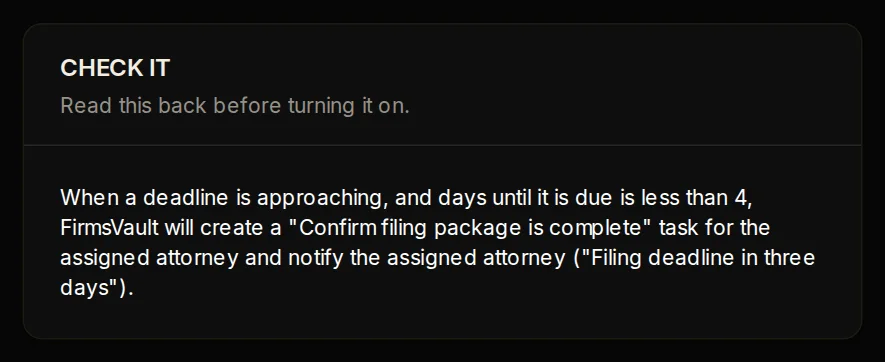
Write a rule as WHEN, ONLY IF and THEN. FirmsVault reads it back in plain language before you turn it on, and keeps a history of every run.

The CHECK IT step reads the automation back in plain language, and Turn it on offers a draft, live, or approve-each-run choice.
FirmsVault screenCHECK IT, before a rule is switched on · Fictional firm data
How automation works
FirmsVault AI

Prepares the work. People decide.

Ask about a matter and the answer cites the documents it used and says what is still missing. Proposed actions wait for approval before anything is sent or changed.

How FirmsVault AI works
Security & governance

Controls you can see, and an audit trail behind them.

Access, approvals and records are part of how FirmsVault works — not a separate product to configure.

Each firm kept apart

Every firm's records are separated in the database itself, not only in the application.

Two-step sign-in

Passkeys and authenticator apps, with stronger checks before sensitive actions.

Roles and approvals

Role-based access, and approvals for trust money, AI actions and other consequential steps.

Support access on your terms

FirmsVault support cannot open a firm's workspace unless the firm approves the request.

Deployment

The same product, two ways to run it.

Standard

FirmsVault runs and maintains it for you on shared infrastructure, with each firm's records kept separate in the database. Updates and operations are handled for you.

  • Fastest way to start
  • Managed updates and monitoring
  • The full product

See FirmsVault with your own matters in mind.

A walkthrough shaped around your practice, your team and how you handle client money. No preparation needed.